Technical journal · Beginner to intermediate
From Email to ERP Invoice: Logic Apps, Document Intelligence and AI
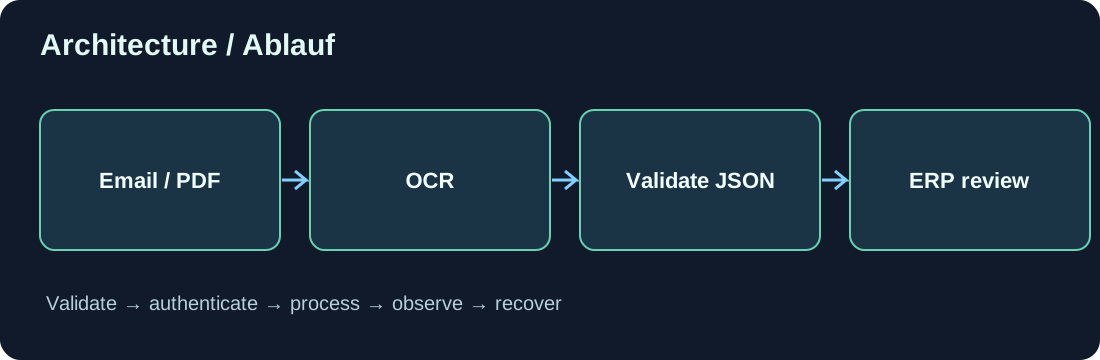
1. The business problem
Invoices arrive as PDF attachments. Instead of manually entering every field, a workflow should preserve each document, recognize text, extract invoice values and send validated data to an ERP review process. The objective is to reduce data entry, not to post unverified AI output.
2. Which Azure components are involved?
Logic Apps orchestrates ingestion. Azure AI Document Intelligence extracts text, tables and invoice fields using appropriate models. An optional language model maps less structured data to a defined schema. A .NET validation layer checks results. Business Central or Dataverse receives approved records.
3. Secure the original first
The appropriate Outlook connector retrieves attachments. Assign a document ID, validate type and size, then store the original without changing it. Use an idempotency key tied to message and attachment identity. A .pdf extension alone is not evidence of a valid PDF file.
4. OCR versus business extraction
OCR identifies characters and page locations. Invoice extraction must interpret supplier, invoice number, date, tax amounts, totals and line-item relationships. The correct model depends on format and supported features. Retain source references to help humans verify extracted fields.
5. Define a strict schema
Specify field types and required values before choosing an AI model. Use explicit unknown or missing values rather than inventing invoice numbers. Preserve page and source locations for review.
{
  "documentId": "DOC-2026-00042",
  "vendor": "Example Supplier",
  "invoiceNumber": "INV-1042",
  "currency": "EUR",
  "netAmount": 100.00,
  "taxAmount": 19.00,
  "grossAmount": 119.00,
  "reviewStatus": "Pending"
}
6. Validate beyond JSON parsing
Valid JSON does not prove the amounts are correct. Check net plus tax against gross with appropriate rounding rules, verify dates and currencies, detect duplicate invoices and match approved vendor data. Use decimal types for money and special handling for credit notes and multiple tax rates.
7. Do not let a model approve its own result
A convincing model response may still contain an incorrect bank account or tax amount. Unknown vendors, sensitive bank changes and ambiguous totals need human review. Display the source alongside extracted values and record corrections and approvals.
8. Persist and hand off safely
Store the extraction and review states together with a durable document ID. Use idempotency when transmitting to ERP systems. A lost HTTP response after successful creation must not create another draft. Separate extracted, validated, approved and transferred statuses.
9. Privacy and total cost
Invoice content is confidential. Review data residency, access controls, retention and third-party AI terms. Account for OCR pages, model tokens, workflow runs, storage and human review instead of considering token charges alone.
10. Test scenarios
Test blurred multi-page scans, multiple tax rates, foreign currencies, credit notes, missing fields, duplicate attachments and unavailable services. Maintain anonymized regression documents and retest after model or prompt changes.
11. Conclusion
Reliable invoice automation is a controlled workflow, not a single model call. Original evidence, independent business rules and human review make ERP integration trustworthy.
Discussion (0)
No comments yet. Be the first to contribute.