Technical journal · Beginner to intermediate
Business Central in Practice: AL Development, Processes and Migrations
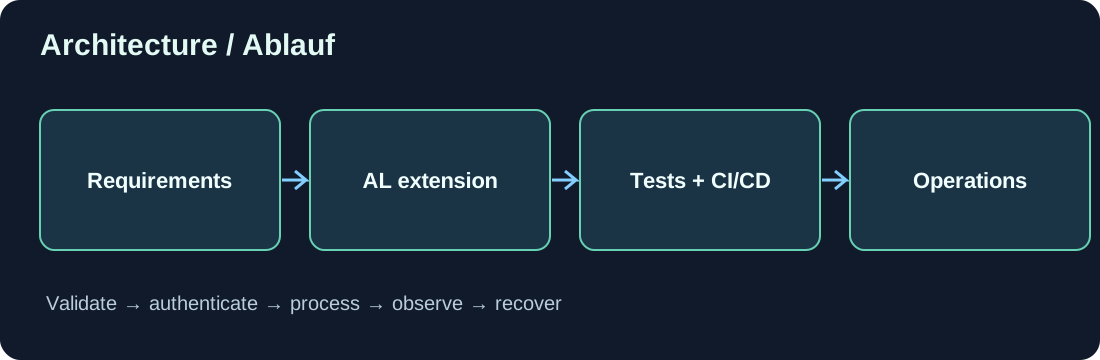
1. Why Business Central is more than coding
ERP software connects purchasing, inventory, sales, accounting and often manufacturing. Changing one page may affect posting, reports and external integrations. Good Business Central engineering starts with the business process and the outcomes the organization needs.
2. Understand the application architecture
The standard app provides tables, pages, codeunits and reports. AL extensions introduce table/page extensions and event subscribers. SaaS adds tenant configuration, extension lifecycle and telemetry. Always verify the supported application version and available extension points.
3. Translate requirements into data flow
For example, a purchase document needs an external reference. Decide who enters it, who may edit it and whether it must continue into posted invoices and receipts. Adding an input field alone does not complete the process.
4. A small AL example
The following TableExtension adds a demonstration reference to the Sales Line table. It is an isolated learning example and does not implement posting propagation.
tableextension 50100 "Sales Line Demo" extends "Sales Line"
{
    fields
    {
        field(50100; "External Reference Demo"; Code[50])
        {
            Caption = 'External Reference';
            DataClassification = CustomerContent;
        }
    }
}
5. Prefer events over modifying the base application
Look for available integration or business events before modifying standard logic. Subscribers can keep custom logic separate from core objects. Verify each event signature and execution timing against the specific Business Central version.
6. Plan data migration
Inventory customers, vendors, items, dimensions, open documents and balances. Create mapping rules, validation, import sequencing, test rehearsals, incremental cutover and acceptance criteria. Reconcile relationships and financial totals, not only record counts.
7. Connect through APIs and Azure
Business Central provides standard APIs and supports custom API pages or outbound AL HttpClient calls. Logic Apps orchestrates workflows, Functions handles specialized code and queues decouple long-running tasks. Use stable operation IDs, secure authorization, bounded retries and visible failure states.
8. Reporting and document layouts
A report combines an AL dataset with a presentation layout. Test filtering, totals and page breaks using realistic datasets. Statutory or finance reports need business reconciliation: a convincing PDF alone is not evidence of correct accounting.
9. Testing and deployment
Use version control, code analysis and clear naming. Publish to a sandbox first and validate dependencies, automated tests and rollback options. Never commit client secrets. Track regression cases for affected posting and integration flows.
10. Lessons from delivery
Prefer standard capabilities over unnecessary customization, write down business rules, improve source-data quality, test difficult examples early and monitor production outcomes. Public technical examples should be anonymized and avoid confidential client data.
11. Where beginners should start
Learn tables and pages, then posting processes, integration events, reports and API pages. Only then tackle complex asynchronous integrations and large migrations.
Discussion (0)
No comments yet. Be the first to contribute.