Business Central 14 is a transitional release between traditional C/AL customization and AL extensions. This guide explains how to understand an existing on-premises installation, troubleshoot development issues and introduce changes safely.
1. Understand the moving parts
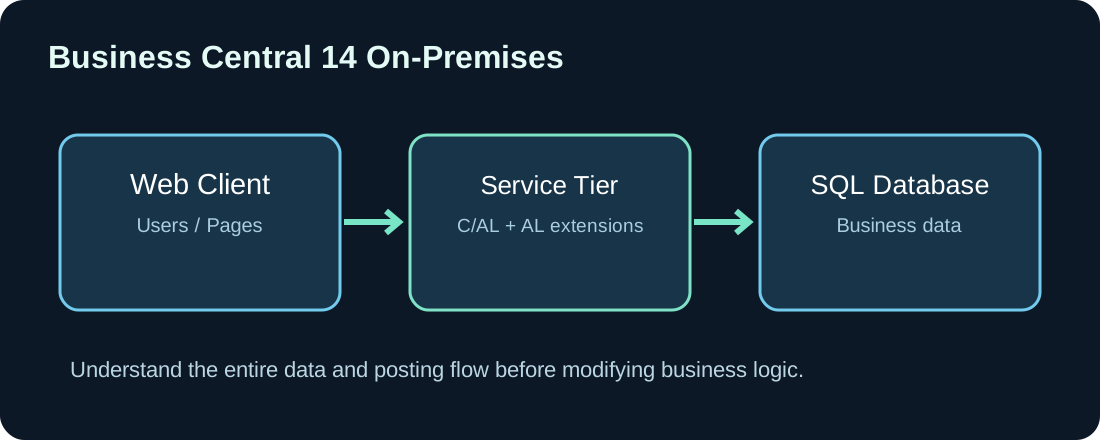
A BC14 environment includes a database, Business Central server instance, web client and development tooling. Before modifying code, document the exact version, build, tenant configuration and installed extensions. C/AL customizations and AL extensions may coexist, making it essential to identify where the relevant behavior actually lives.
2. C/AL and AL are not interchangeable
Legacy code can reside in C/SIDE objects, while AL extensions typically rely on extension objects and integration events. Review existing object changes, available publishers and third-party extensions before selecting an implementation approach. Direct modifications of core objects increase upgrade complexity and should not be the default choice.
3. Set up a development environment
- Identify the correct server, instance and development endpoint.
- Confirm account permissions and accessible network ports.
- Configure
launch.jsonaccording to the instance and authentication mode. - Download the correct symbols and inspect package references.
- Prepare a test database before changing objects or schema.
The following illustrative configuration must be adjusted for the actual environment:
{
  "version": "0.2.0",
  "configurations": [
    {
      "name": "BC14 test environment",
      "type": "al",
      "request": "launch",
      "environmentType": "OnPrem",
      "server": "https://bc-test.example.com",
      "serverInstance": "BC140",
      "authentication": "Windows",
      "startupObjectType": "Page",
      "startupObjectId": 22
    }
  ]
}
4. Troubleshoot missing symbols systematically
Symbol errors are not necessarily source-code errors. Check the development service, user permissions, compatible version numbers and installed dependencies. Stale symbols may lead to confusing compiler output after an environment update. Change one infrastructure setting at a time and document the result.
5. Build a report from the dataset outward
Identify the business fields and filters first, then choose the presentation layout. For shipment documentation, relevant data might include shipping address, carrier, tracking information, weights and shipment lines. Test missing values, multiple lines and long addresses. An ideal one-line test document rarely exposes real rendering problems.
6. Trace custom fields through posting
A field added to a purchase order is not a complete customization if it should also be present in posted purchase receipts or invoices. Trace the posting lifecycle and identify suitable integration events. Verify field copying, calculations and downstream reporting while avoiding uncontrolled edits to posted historical records.
7. Debugging and deployment checklist
- Reproduce the problem with a minimal, repeatable test case.
- Identify all affected standard and extension objects.
- Record versions and diagnostic logs.
- Implement in an isolated test environment.
- Run regression tests for posting, purchasing, sales and reporting.
- Document deployment and rollback procedures.
8. Planning modernization
Evaluate the quantity of C/AL customizations, third-party dependencies, infrastructure, external integrations and support constraints. Upgrading from BC14 to a modern supported version or cloud environment is seldom just a code conversion. Plan inventory, cleanup, AL modernization, test migration and cutover as separate steps.
Conclusion: BC14 maintenance becomes manageable when the environment, object dependencies and document lifecycles are understood and documented. The key engineering habit is to understand the full process before modifying code.
Discussion (0)
No comments yet. Be the first to contribute.