Beginner tutorial / Technical journal
A beginner’s guide to Azure Functions with C#: create an HTTP trigger using the isolated worker, test JSON locally, deploy securely and monitor failures.
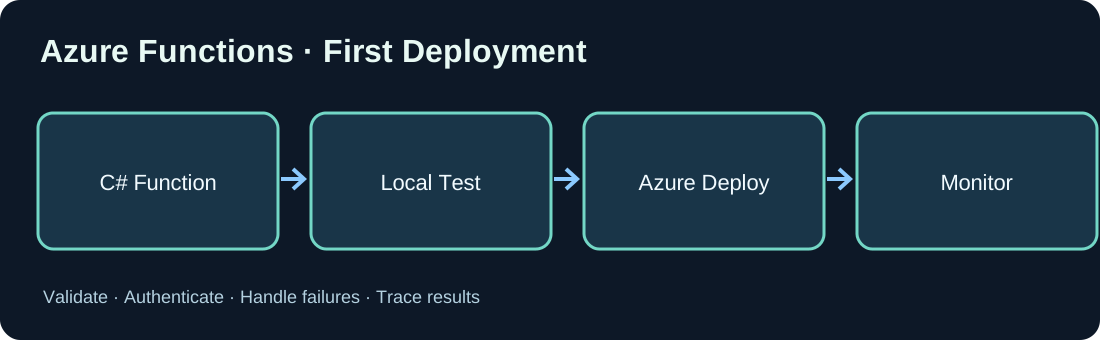
1. What is an Azure Function?
Azure Functions runs event-driven code triggered by HTTP, queues or schedules. It reduces server administration but still requires deliberate runtime, networking, identity and cost decisions. An HTTP function is not automatically a secure public API.
2. Prerequisites
Install a supported .NET SDK, an editor, Azure Functions Core Tools and Azure CLI for deployment. Prepare a test Azure environment. Choose a .NET runtime version supported by the Functions isolated worker model.
3. Create a project
Use the .NET isolated worker for C# development. Azure Functions Core Tools can initialize a project and add an HTTP-triggered function. Exact command options may vary with the tool version.
func init MyFirstFunction --worker-runtime dotnet-isolated
cd MyFirstFunction
func new --template "HTTP trigger" --name Hello
4. How HTTP triggers work
An HTTP trigger receives a request and sends back a response. AuthorizationLevel.Function relies on function keys, which are a basic access restriction rather than a complete enterprise authorization model. Consider Entra ID and protected network access for sensitive endpoints.
5. Minimal C# function
The following function reads JSON from an HTTP request and responds with JSON. It deliberately performs no persistent operation or downstream integration. Match packages to the selected worker SDK.
using System.Net;
using System.Text.Json;
using Microsoft.Azure.Functions.Worker;
using Microsoft.Azure.Functions.Worker.Http;

public record HelloInput(string? Name);

public class HelloFunction
{
    [Function("Hello")]
    public async Task<HttpResponseData> Run(
        [HttpTrigger(AuthorizationLevel.Function, "post",
            Route = "hello")] HttpRequestData request)
    {
        HelloInput? input;
        try
        {
            input = await JsonSerializer.DeserializeAsync<HelloInput>(
                request.Body,
                new JsonSerializerOptions
                { PropertyNameCaseInsensitive = true });
        }
        catch (JsonException)
        {
            return request.CreateResponse(HttpStatusCode.BadRequest);
        }

        if (string.IsNullOrWhiteSpace(input?.Name))
            return request.CreateResponse(HttpStatusCode.BadRequest);

        var response = request.CreateResponse(HttpStatusCode.OK);
        await response.WriteAsJsonAsync(new { message = $"Hello, {input.Name}" });
        return response;
    }
}
6. Run and test locally
Start the local host using func start and use the printed local endpoint. Submit a POST request with Content-Type application/json through curl. Test missing and malformed JSON. Local function key behavior differs from a deployed production environment.
func start
curl -i -X POST http://localhost:7071/api/hello -H "Content-Type: application/json" -d '{"name":"World"}'
7. Deploy to Azure
Create a Function App, suitable hosting plan, storage resources and Application Insights configuration. Publish with supported tooling or a CI/CD pipeline. Verify deployed application settings and runtime after publication.
8. Managed identity and Key Vault
Enable a managed identity and grant only required Azure roles. Use it to access supporting services and store additional secrets in Key Vault. Never commit real keys or credentials. Protect the HTTP API with appropriate identity and network controls.
9. Observability and pricing
Collect useful telemetry for latency, failures and dependencies without logging secrets. Costs vary by hosting plan and related resources; storage, logs and network infrastructure can generate charges even with low request counts.
10. Tests and common problems
Verify 400 responses for invalid JSON, empty request handling, correct content types, access denials, cold starts and restart behavior. A local success does not replace realistic deployment tests.
Discussion (0)
No comments yet. Be the first to contribute.