Beginner tutorial / Technical journal
Learn to call REST endpoints from Business Central AL, inspect HTTP responses, parse JSON and handle errors and authentication safely.
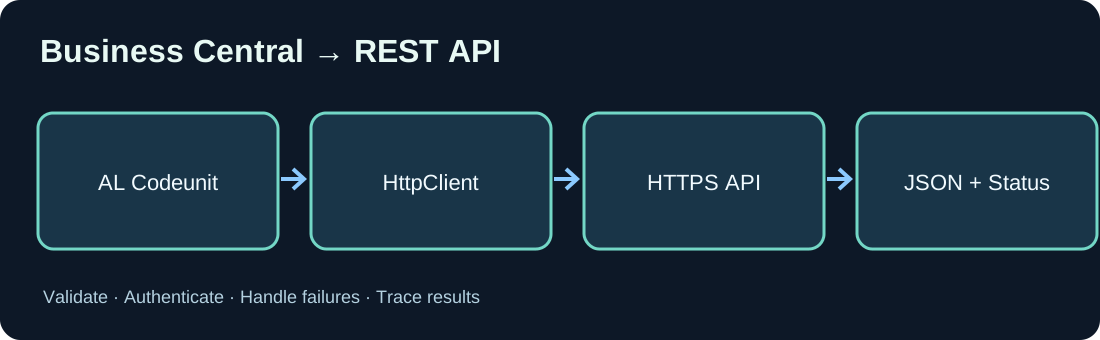
1. What does HttpClient do in Business Central?
The AL HttpClient data type calls an external web service. The service receives an HTTP request and returns a status code and optionally JSON. Common use cases include shipping, document management and custom .NET services. An HTTP call does not replace proper ERP posting logic.
2. Prerequisites
Prepare a Business Central sandbox, an AL extension and a reachable HTTPS test endpoint. Enable Allow HttpClient Requests for the relevant extension in extension settings. Check network access and DNS from the Business Central service environment.
3. Send your first GET request
This AL example demonstrates HttpClient, HttpResponseMessage and JSON. Replace the illustrative URL with your own test API. Always check whether the request was sent successfully before interpreting its response status.
codeunit 50130 "External API Demo"
{
    procedure GetProductName(): Text
    var
        Client: HttpClient;
        Response: HttpResponseMessage;
        Body: Text;
        Root: JsonObject;
        NameToken: JsonToken;
    begin
        if not Client.Get('https://example.com/api/products/1', Response) then
            Error('The HTTP request could not be sent.');
        if not Response.IsSuccessStatusCode() then
            Error('API returned HTTP %1.', Response.HttpStatusCode());
        Response.Content().ReadAs(Body);
        if not Root.ReadFrom(Body) then
            Error('Invalid JSON response.');
        if not Root.Get('name', NameToken) then
            Error('Name is missing.');
        exit(NameToken.AsValue().AsText());
    end;
}
4. Handle HTTP responses
A 200 response generally signals successful retrieval. 400/422 suggests invalid input, 401 authentication failure, 403 insufficient permission, 404 missing resource and 429 throttling. 500/503 may be transient. A timeout does not establish that the remote service performed no operation.
5. Parse JSON safely
Use JsonObject and JsonToken rather than fragile substring parsing. Validate that each required property exists and has an appropriate type. Missing values, nulls and unexpected data types must be handled deliberately.
6. POST with JSON
Sending data typically requires a JSON request body with Content-Type application/json. Create data with JsonObject and HttpContent. Follow the target API contract and use a stable business operation key for retry-safe processing.
7. Authentication
Protected APIs commonly use OAuth2 and Microsoft Entra ID. The access token must target the intended API. Never hard-code client secrets or print tokens in production logs. Follow secure credential and token-management practices compatible with your Business Central version.
8. Design error recovery
For background processing, persist transport failures and business rejections separately. Propagate correlation identifiers, bound retry attempts and honor Retry-After when supplied. Invalid requests normally need correction. Avoid duplicate business operations when repeating POST requests.
9. Test scenarios
Test valid and malformed JSON, missing properties, invalid credentials, 404, 429, timeout, empty responses and downstream outages. Retry identical operations to assess deduplication. Use non-sensitive sample data.
10. What to learn next
Build an authenticated Azure Function as a target API and then explore asynchronous queue processing. Also check whether standard Business Central APIs already address your requirements.
Discussion (0)
No comments yet. Be the first to contribute.